Professional download pages for every release
Deliver your apps with polish and confidence. Each AppShare release gets a branded, secure public download page — so clients and testers can install builds effortlessly without file links, emails, or confusion.
Works with Android & iOS.
Everything You Need for Professional App Distribution

Password Protection
Protect your download pages with passwords to ensure only authorized users can access sensitive releases..

Search Engine Privacy
Prevent search engines from indexing your pages so internal builds and private releases stay completely confidential.

Page Personalization
Add your logo, brand colors, custom text, and detailed release notes for a fully branded download experience.

Custom Domain
Host download pages on your own domain (like downloads.yourcompany.com) for complete brand consistency and trust.

QR Code Generation
Automatically generate QR codes that testers can scan with their phones for instant mobile installation.

Platform Detection
Smart device recognition that automatically shows the correct installer (Android vs iOS) with platform-specific instructions.
One Link, Forever
One URL for All Your Releases
Same link for every version, every platform. Share once, update forever. Your testers always know where to go.
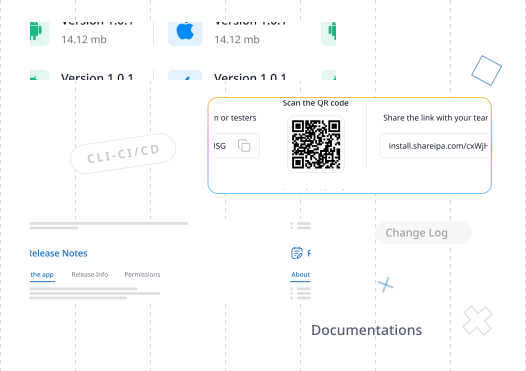
Designed for Tester Convenience
Give testers everything they need — from credentials and changelogs to past builds and permanent links — all in one page.

Show Credentials for Testing
Share login info or sandbox credentials securely on the page.

Built-in Changelog
Keep everyone up to date on what’s new in every release

Access Old Releases
Testers can re-download previous builds anytime for regression testing.
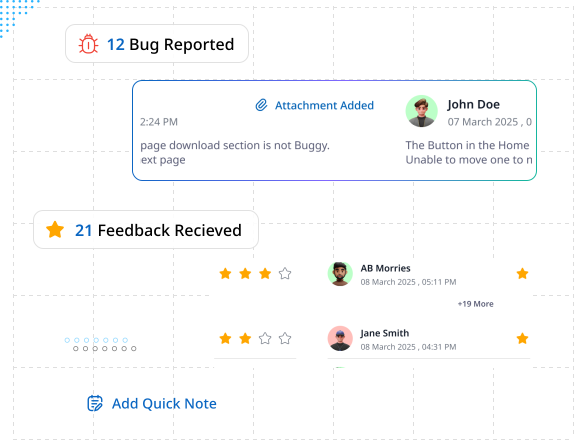
Collect Feedback Right from the Download Page
No more chasing feedback across chats or emails. AppShare lets testers and clients share comments, screenshots, and version-specific notes directly on the public download page — so your team gets actionable insights in one place.
How Team Use It:
Bug Reports
Release Feedback
Change Discussions
Quick Notes
Multiple Ways to Access Or use our mobile app
Download Our App for Any Devices



Frequently Asked Questions
How do public download pages work?
When you upload a build, AppShare generates a branded page with install buttons and release details.
Can I use my own custom domain?
Yes! Point your DNS to us, and we'll handle SSL certificates and routing. Your download pages will live at your chosen domain (like downloads.yourcompany.com).
Can I password-protect a public page?
Yes. Add password protection for sensitive builds.
Can I make pages private or unlisted?
Yes. You can disable indexing or hide pages from public view.
How long do public page links stay active?
Links stay active until you revoke them or set expiry dates.

AppShare
Developer-Friendly App Distribution — Share Builds Securely Without the App Store or Google Play.
Operational
Contact Us On
Mail Us
support@zunoy.comCopyright © 2026 - Mentcube Innovations Pvt Ltd.. All Rights Reserved.