Bug Tracking Software From First Report to Verified Fix
Zunoy Bug Tracker helps dev and QA teams capture visual, context-rich bug reports from Slack, email, mobile app, widget, Chrome extension, API, and webhooks. Keep screenshots, device details, severity, priority, ownership, and status attached as every issue moves from report to verified fix.
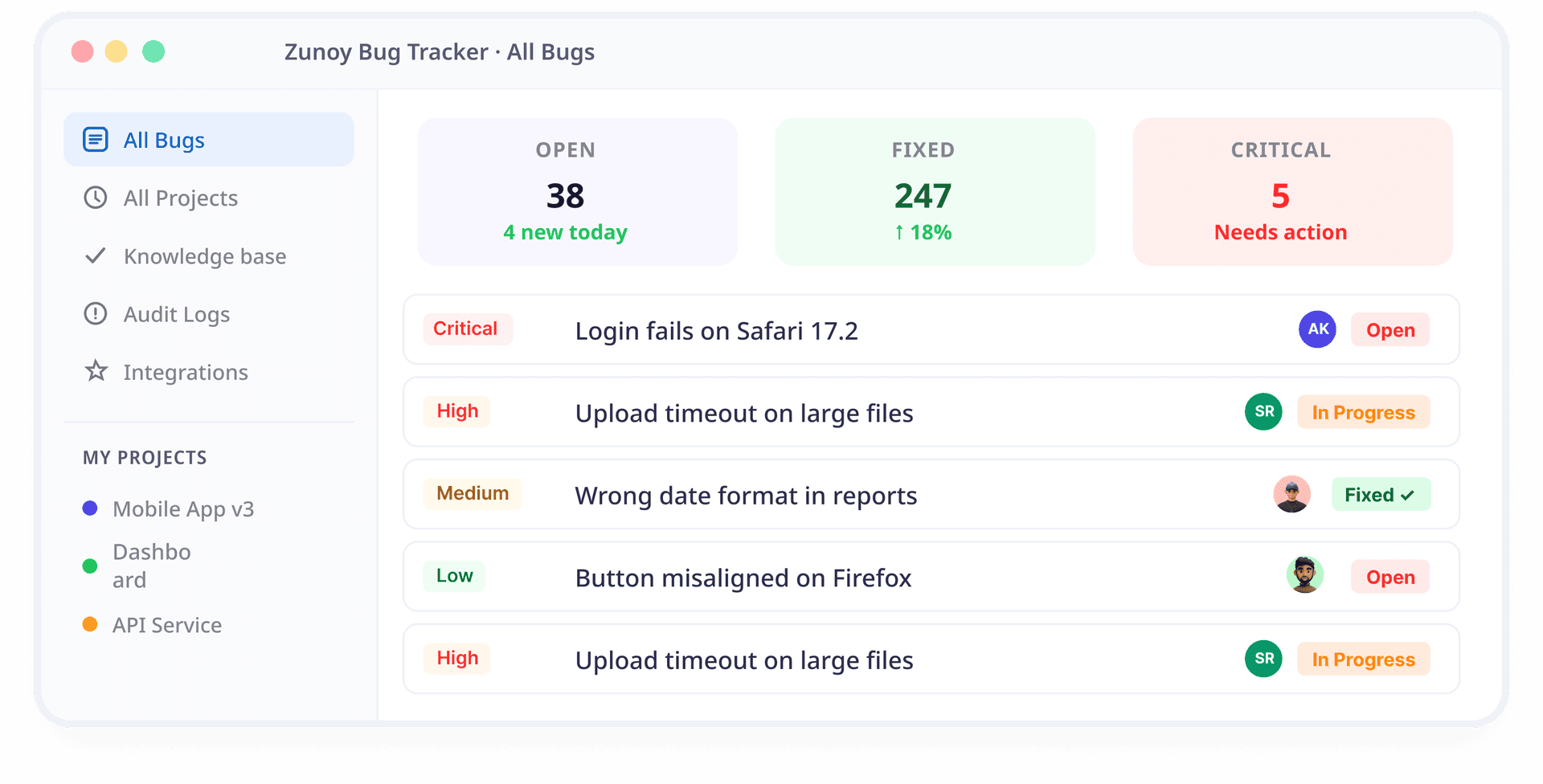

Free to start
No credit card required
Visual Bug Reporting
Multi-channel tracking

Full bug context from day one.
Bugs Are Inevitable. Lost Context Is Not.
Software bugs are easy to report but hard to manage when they are scattered across chats, emails, screenshots, spreadsheets, and support threads. Teams need a bug tracker system to keep every issue organized with clear steps, severity, environment details, visual proof, ownership, status, and verification in one workflow.
Zunoy gives dev and QA teams the context they need from the start, so bugs move faster from first report to verified fix.

Context gets lost in threads
Bug details scattered across Slack, email, and screenshots with no single source of truth.

No ownership or accountability
Bugs fall through the cracks because nobody knows who owns what or what the status is.

Zunoy keeps full context attached
Every bug gets severity, priority, screenshots, device details, ownership, and lifecycle visibility in one place.
Bugs Found Anywhere. Captured With Context.
Zunoy captures bugs from chats, emails, browsers, mobile apps, websites, and system alerts, then brings every report into one structured bug tracking workflow.
Slack
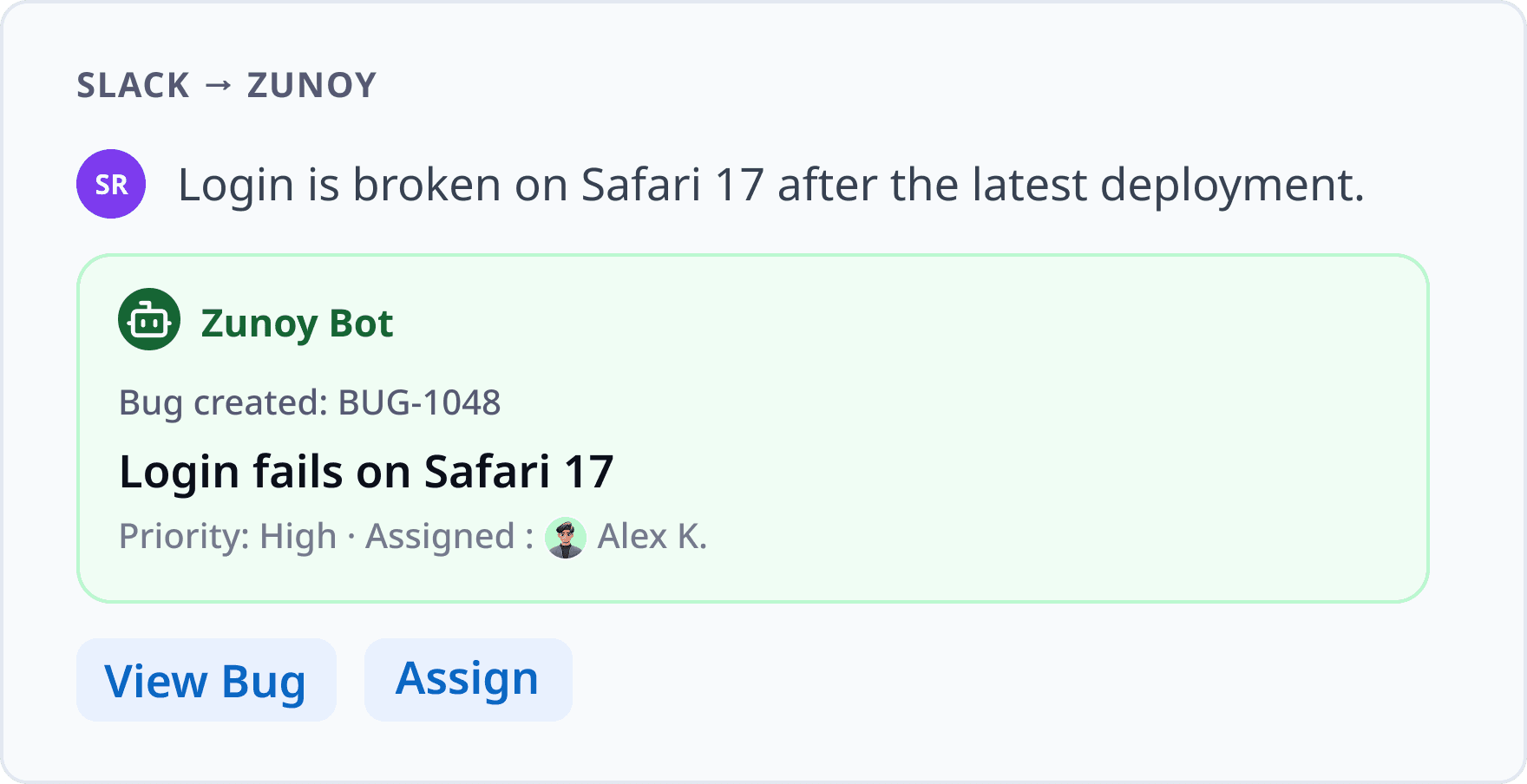
Bugs often start as Slack messages, screenshots, QA updates, or support escalations.Use the Zunoy BugTracker bot to turn those conversations into tracked bugs before they get buried.
Microsoft Teams
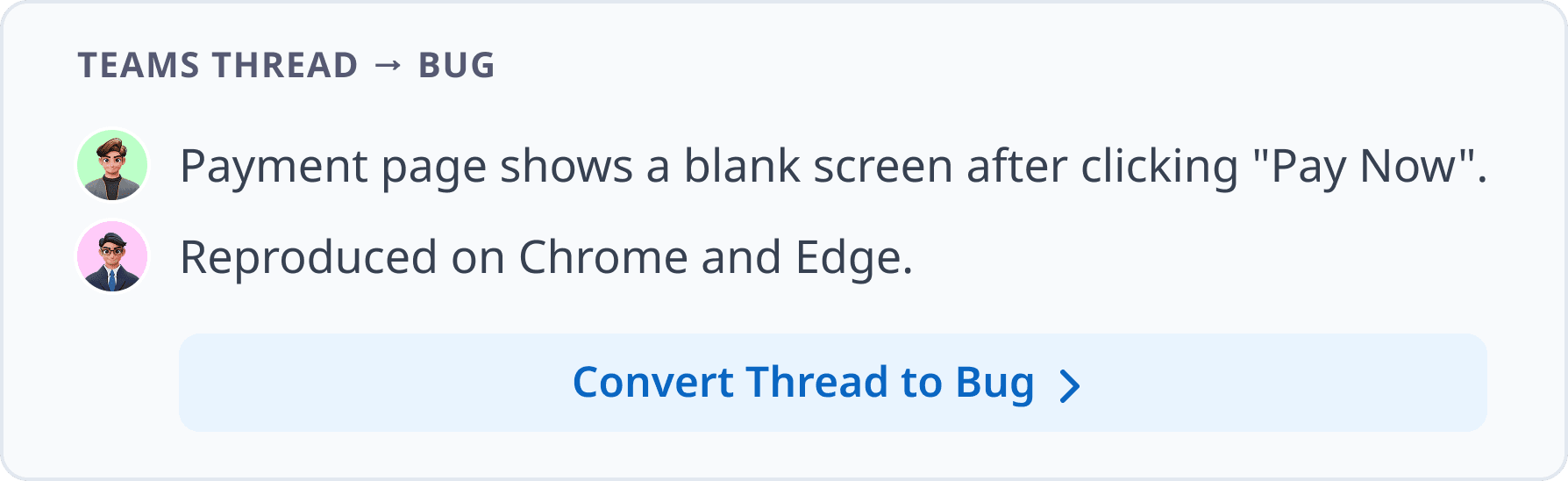
Move Teams discussions, shared files, issue updates, and release blockers into your bug workflow.Your team can track bugs without manually copying details from one tool to another.
Discord
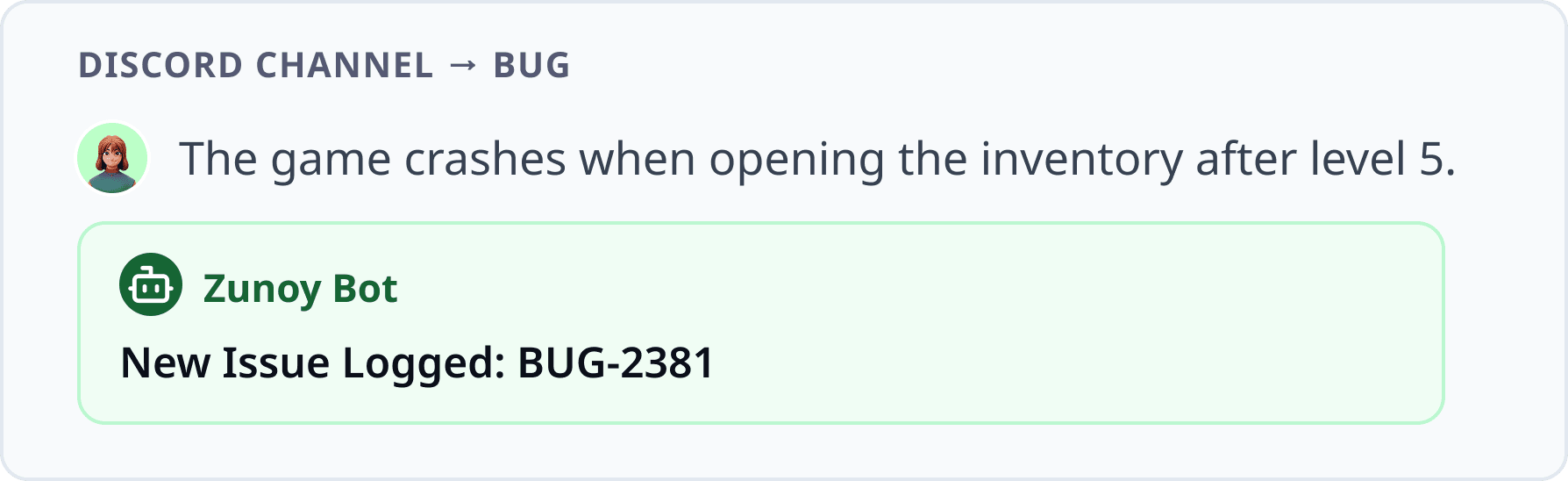
Capture bug reports from Discord communities, beta users, support groups, or internal dev channels.Zunoy routes reported issues into a structured workflow where they can be assigned and tracked.
Customer issues, QA notes, support threads, and external reports often arrive through email.Zunoy turns those emails into structured bugs while keeping the original thread and attachments connected.
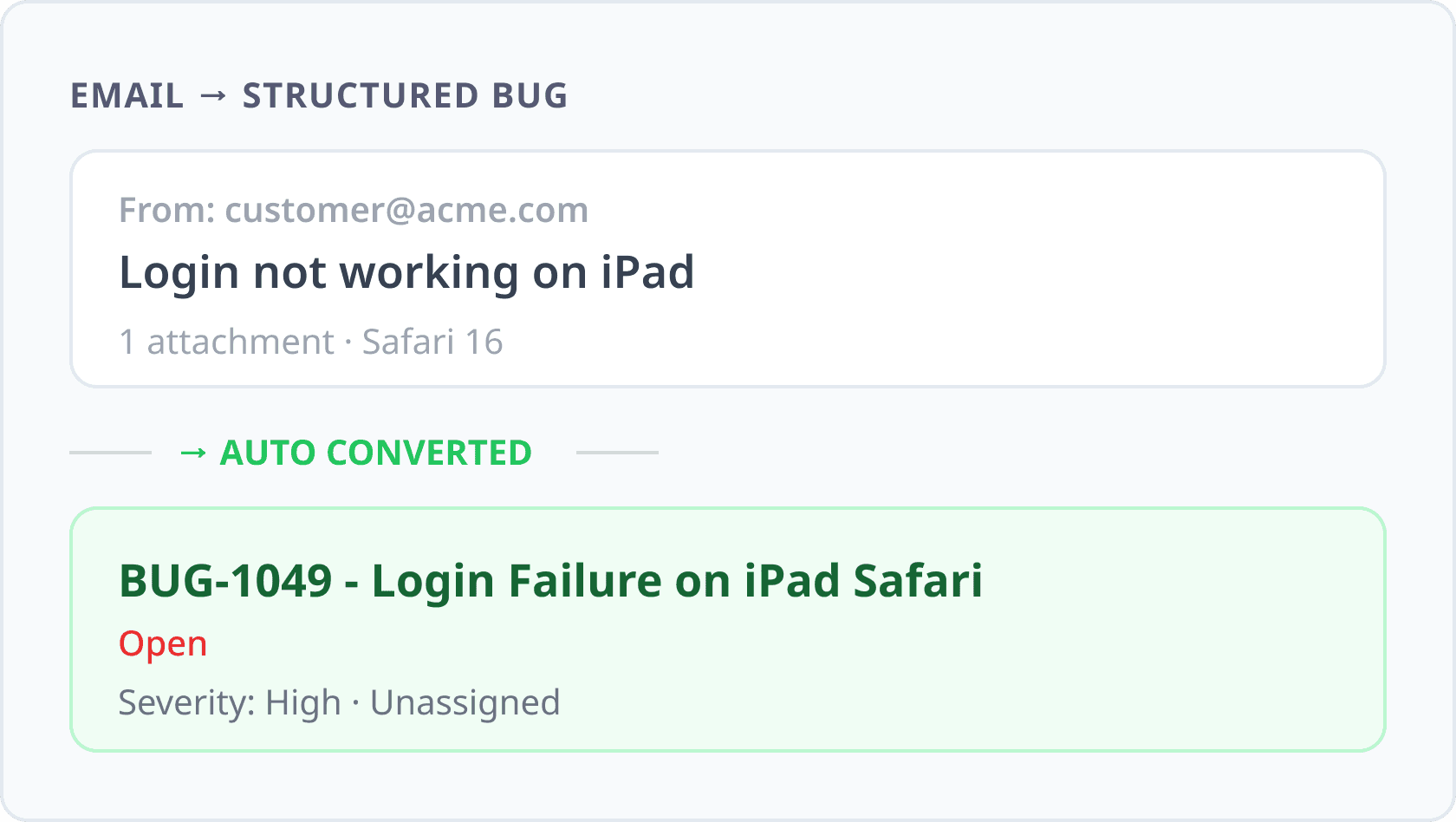
Track the Full Bug Lifecycle
Zunoy supports full bug lifecycle management, helping teams capture, triage, assign, fix, verify, close, and learn from every issue without losing technical context.
Ready to Move Bugs Out of Spreadsheets?


Capture bugs from 8+ channels
Keep full context attached to every issue
Track the complete bug lifecycle
Give dev and QA teams one focused workflow
Moving Bugs From Report to Resolution
Zunoy brings bug reporting, issue tracking, collaboration, analytics, timesheets, and knowledge base documentation into one focused bug management tool for dev and QA workflows.

Bug Management
Track every bug with status, priority, severity, assignee, due dates, tags, attachments, and custom fields.

Reports and Analytics
Monitor open bugs, resolved issues, team workload, bottlenecks, and project health with clear bug tracking reports.

Smart Bug Views
Switch between table, kanban, and card views to track bugs the way your team works, from backlog review to fix progress.

Knowledge Base
Turn resolved bugs into reusable documentation with root causes, fix notes, details, related bugs, and lessons learned.
Reports That Show What’s Stuck
See open bugs, resolved issues, workload, bottlenecks, overdue fixes, and project health without digging through every ticket.

Filters That Find the Right Bug Fast
Organize bugs by component, platform, sprint, customer, feature, release, priority, or owner to find important issues faster.
Timesheets
Log time against bugs, track billable and non-billable hours, and understand the engineering effort behind issue resolution.
Bug Activity Heatmap
Spot bug activity across days, weeks, and months with a contribution-style heatmap that shows reporting and workflow movement.
Workflows That Match Your Team
Customize statuses, priorities, fields, and bug flows for QA, development, support, product, or release teams.
Make Your Product a Bug Reporting Channel
Zunoy’s in-app bug report widget lets users, testers, and clients report issues from inside your website or app. Reports can carry page context, comments, user details, and visual evidence where supported, then move into the right bug tracking workflow.
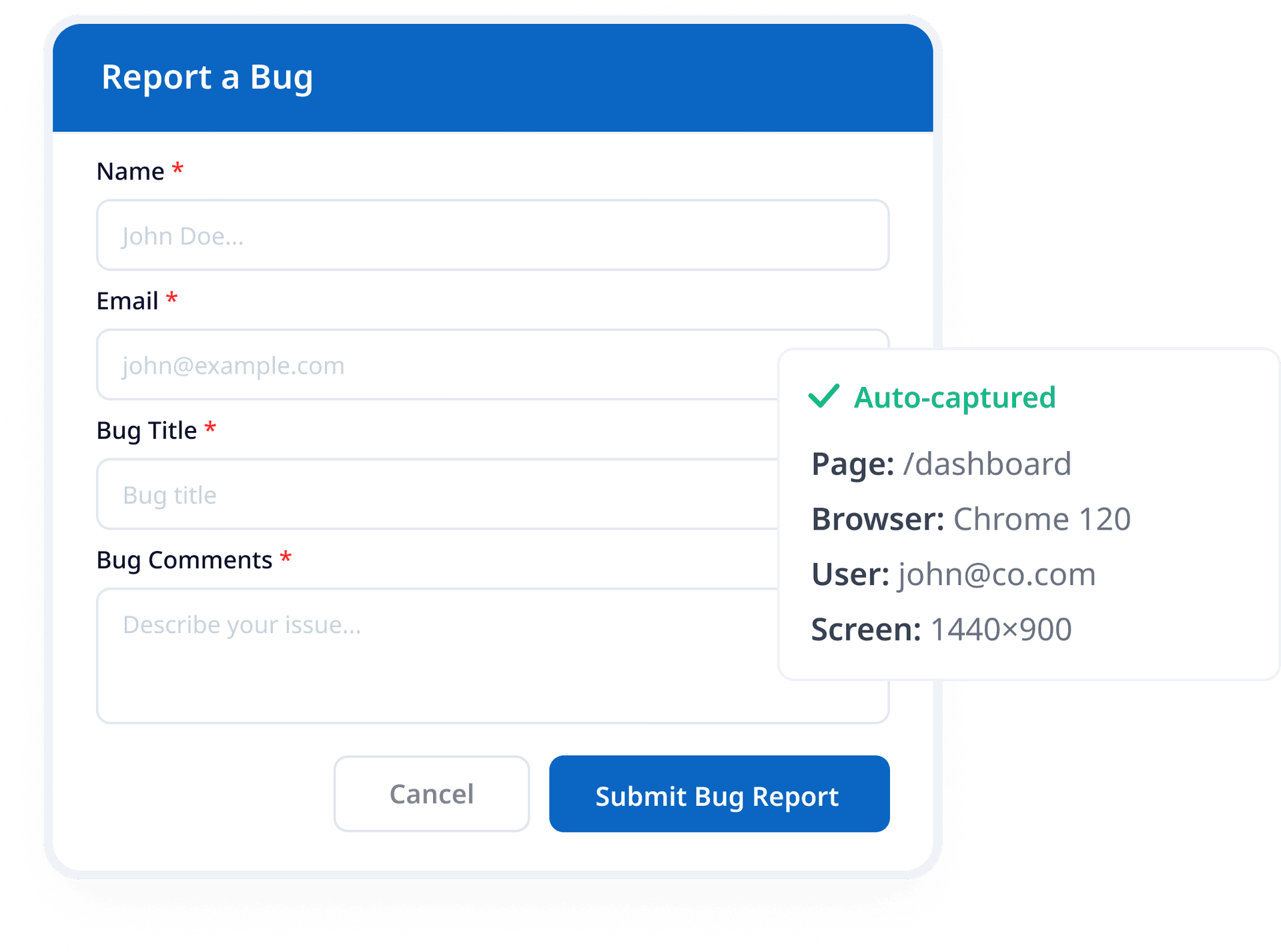

Report Inside the Product
Capture bugs where users actually experience them.

Keep Page Context
Add page-level details so teams know where the issue happened.

Route to Zunoy
Send widget reports into the right project for triage and ownership

Slack

Discord
Webhooks

Microsoft Teams

Telegram
Connect Zunoy With the Tools Your Team Uses
Zunoy bug tracker integrations connect with Microsoft Teams, Slack, Discord, Webhooks, Telegram, Email, API, and internal systems, so bug reports, alerts, and updates flow into one defect tracking software workflow without extra manual work.
Low in Industry Pricing
Plans Built for Every Stage of Bug Tracking
<p class="my-1 leading-relaxed"><span style="white-space: pre-wrap;">Begin with core bug tracking for small teams, then upgrade for more projects, members, analytics, workflows, integrations, and controls.</span></p>

Free
₹0
Up to 3 Users
1 Workspace
3 Projects
2 GB Storage
2 Years Data Retention
Timesheet Not Included
Knowledge Base & RCA Not Included
Audit Trail Not Included
AI Insights Not Included

Beginner
₹299
Up to 20 Users
Up to 10 Workspaces
Unlimited Projects
25 GB Storage
5 Years Data Retention
Timesheet Included
Knowledge Base & RCA Included
Audit Trail Included
AI Insights Included

Business
₹599
Free
Get started with essential bug tracking features.
₹0
Up to 3 Users
1 Workspace
3 Projects
2 GB Storage
2 Years Data Retention
Timesheet Not Included
Knowledge Base & RCA Not Included
Audit Trail Not Included
AI Insights Not Included
Beginner
Perfect for growing teams that need more control and visibility.
₹299
Up to 20 Users
Up to 10 Workspaces
Unlimited Projects
25 GB Storage
5 Years Data Retention
Timesheet Included
Knowledge Base & RCA Included
Audit Trail Included
AI Insights Included
Business
Built for organizations that need scale, security, and priority support.
₹599
Unlimited Users
Unlimited Workspaces
Unlimited Projects
100 GB Storage
Unlimited Data Retention
Timesheet Included
Knowledge Base & RCA Included
Audit Trail + Export
Priority AI Insights
*Prices are exclusive of local taxes.
Compare Bug Tracking Tools by Workflow Fit
Compare Zunoy Bug Tracker with other bug tracker tools across bug capture channels, visual reporting, lifecycle depth, timesheets, mobile support, knowledge base, and team workflows. See which bug tracking platform fits how your dev and QA teams actually report, track, verify, and close bugs.
| FEATURES | Typical Bug Tracking Tool |  Zunoy BugTracker |
|---|---|---|
Context-Rich Bug Reports | Full context | |
Multi-Channel Bug Capture | Report from anywhere | |
Visual Bug Reporting | ||
Full Bug Lifecycle | Report to closure | |
Bug Tracking Knowledge Base | ||
Timesheet Management | ||
Project Analytics | ||
Enterprise Access Controls | ||
Focused Bug Tracking | No PM bloat |
A throwaway URL gets you started. A team workspace keeps you shipping.
Report and Track Bugs From Your Phone
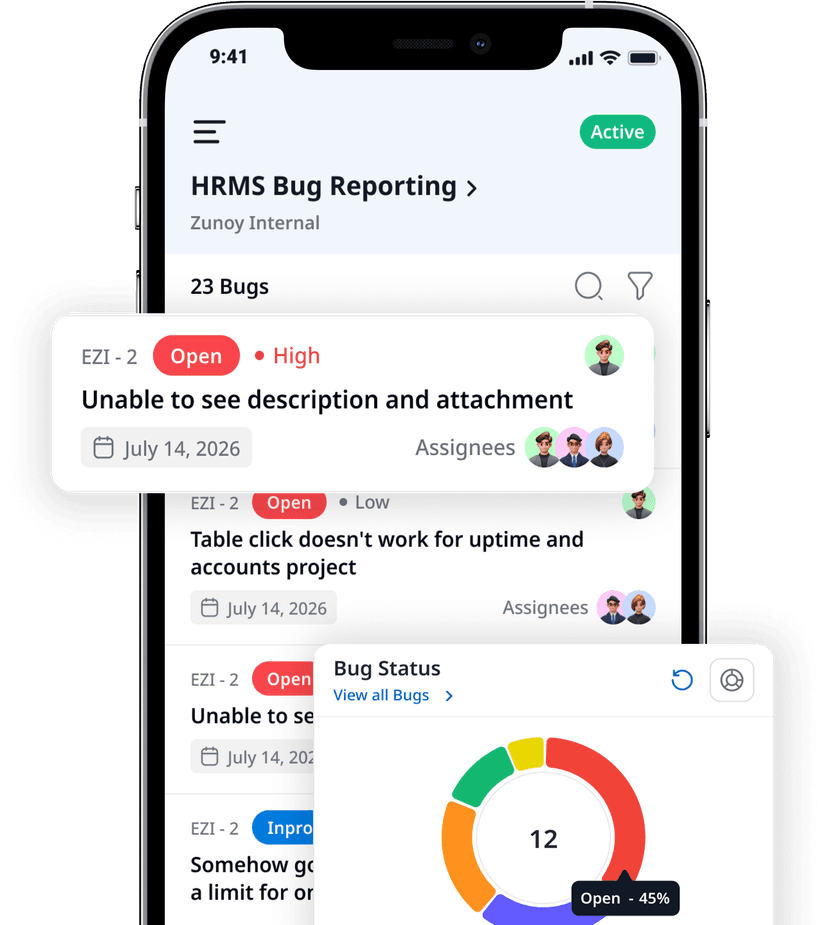
Use Zunoy’s mobile bug reporting tool to capture bugs with screenshots, device details, comments, and ownership, then follow updates as issues move through review, assignment, fixes, verification, and closure.
Report mobile bugs with screenshots
Check status, comments, assignees, and priority
Update, assign, and follow progress anywhere
Keep teams connected outside the dashboard
Download Our App for Any Devices


Solutions for Modern Bug Tracking Teams
Zunoy adapts to how your team finds and fixes bugs. Here’s what changes when you switch from scattered tools to a focused bug tracker.
The things Developers actually ask.
What is a bug tracker?
Is Zunoy Bug Tracker free?
What makes Zunoy different?
Is Zunoy a Jira alternative for bug tracking?
Can I report bugs from Slack?
Does Zunoy support visual bug reporting?
More Than Just a BugTracker
Zunoy is a developer & Productive Suite to build, ship, and monitor your apps. -so your tools share a workspace, a team, and a login. No more juggling multipe different dashboards


All our products come with a Lifetime Free tier.
Get a Second opinion from an AI Tool
Ask ChatGPT, Claude, Gemini or Perplexity for an honest take. They'll tell you what makes Zunoy Sandbox stands out in Email an other Module Testing


Start Tracking Bugs With Full Context
Use Zunoy to capture visual, context-rich bug reports from anywhere, assign ownership clearly, and move every issue from report to verified fix.rly, and move every issue from report to verified fix.


Bug Tracker
Zunoy Bug Tracker helps dev and QA teams capture visual, context-rich bug reports.
Operational
Contact Us On
Mail Us
support@zunoy.comCopyright © 2026 - Mentcube Innovations Pvt Ltd.. All Rights Reserved.