Bug Tracking From Report to Resolution
Zunoy gives dev, QA, and product teams a context-rich bug tracking workflow to report bugs, triage bugs, assign bugs, fix bugs, verify fixes, and close bugs without losing ownership, evidence, or technical context.

Free to start
No credit card required
Visual Bug Reporting
Multi-channel tracking

Full context from day one.
manage
Manage Bugs Together in One Workflow
Create projects, invite your team, choose a bug view, and manage every issue with status, priority, severity, assignee, comments, and activity history. Zunoy keeps the full bug tracking process connected, so teams do not lose context between reporting, development, QA verification, and closure.

Team Roles
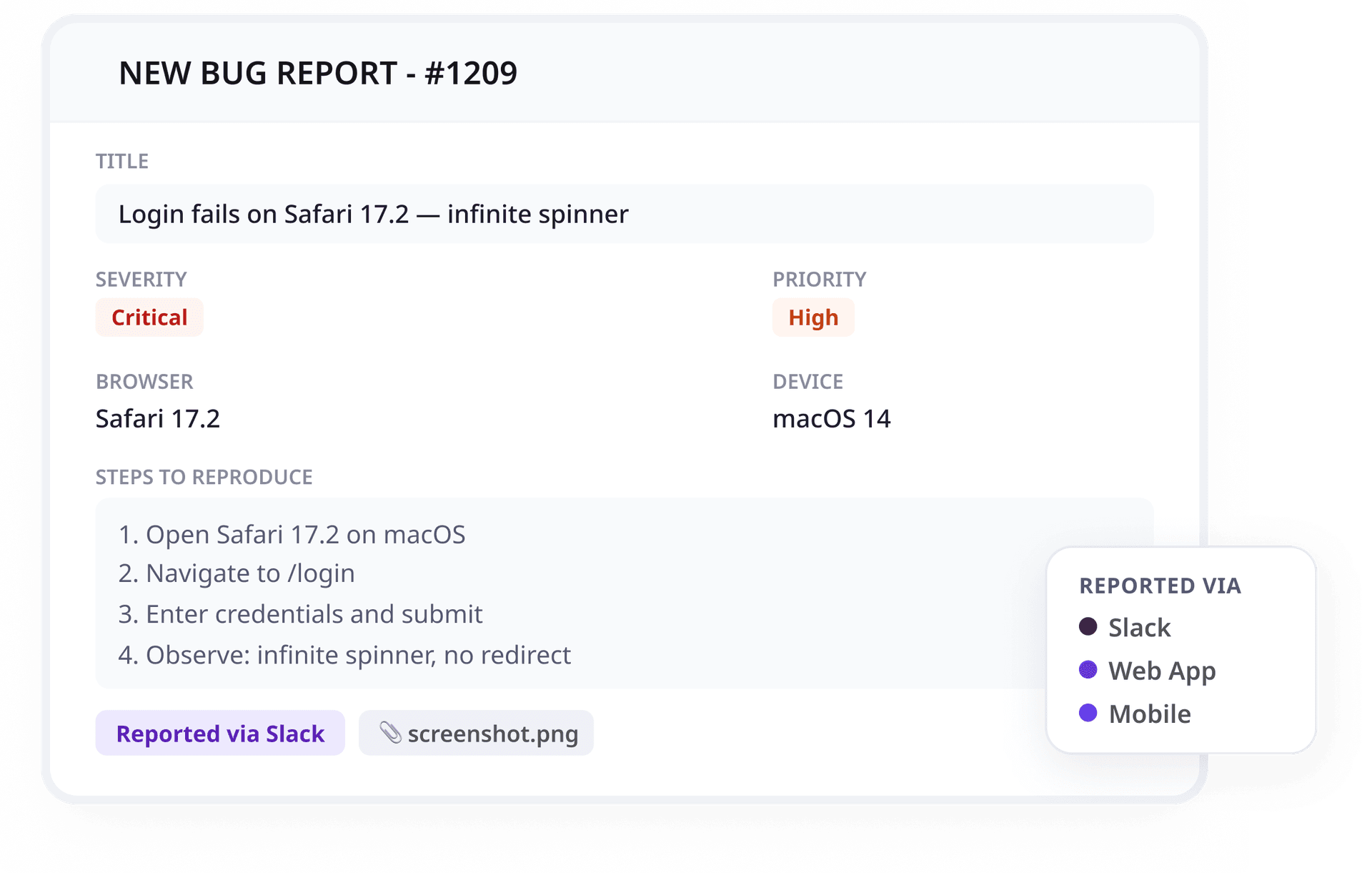
Create bugs with title, description, status, assignees, priority, severity, tags, and steps to reproduce.

Bug Creation and Metadata
Create bugs with title, description, status, assignees, priority, severity, tags, and steps to reproduce.

Clear Ownership
Assign bugs to the right person and keep responsibility visible from first triage to final closure.
Bug Gets Reported
Bugs appear during QA testing, customer calls, mobile checks, website reviews, production use, and team discussions. Zunoy helps teams report bugs from the channels where issues already happen, while keeping every report structured enough for developers to act on.
Multi-Channel Reporting
Full Bug Context
Add title, description, severity, priority, screenshots, files, browser details, device data, and page context.
Steps to Reproduce
Capture reproduction details early so developers spend less time chasing missing information.
Bug Gets Prioritized
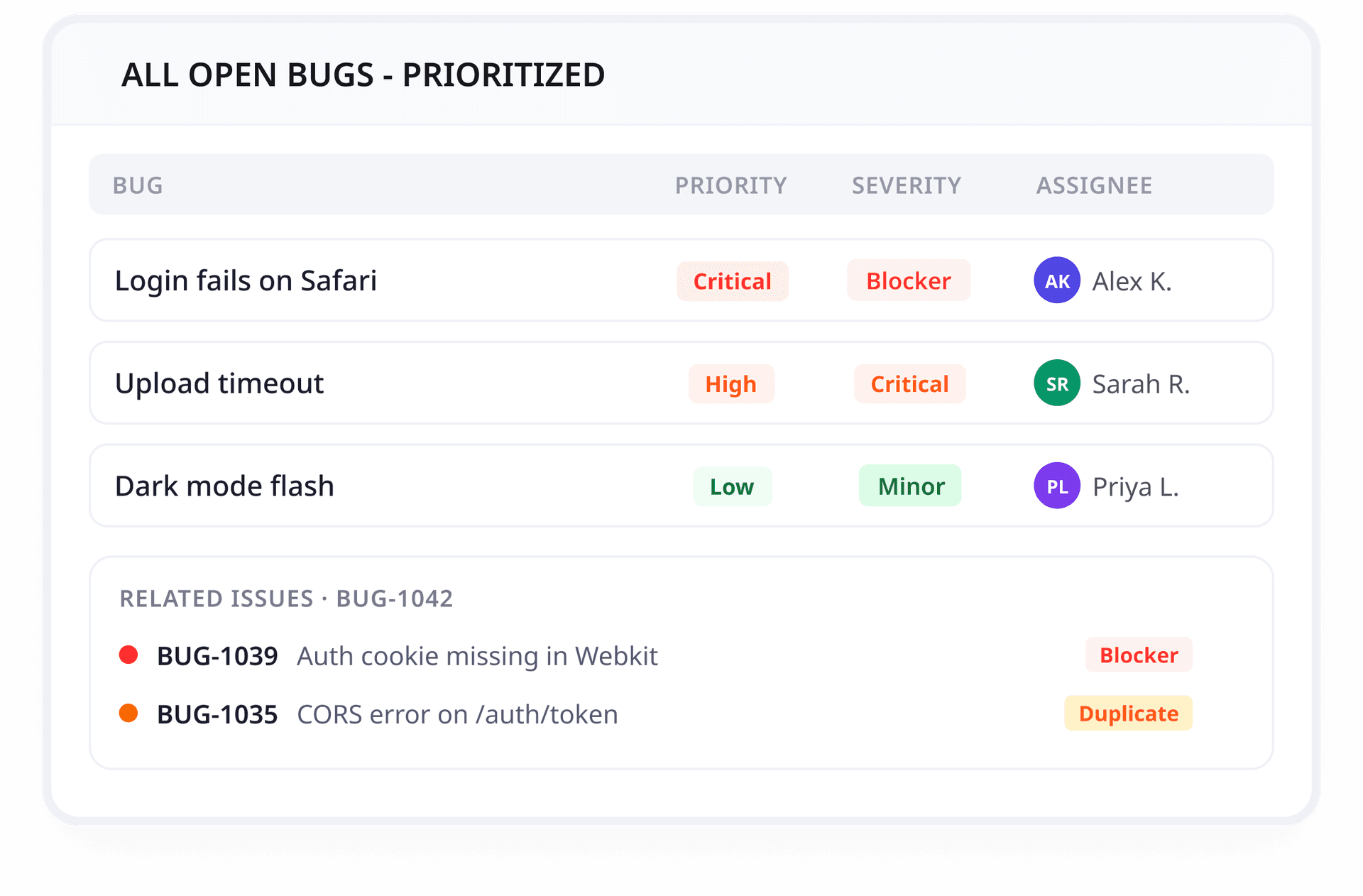
Every new bug needs impact, urgency, and ownership. Zunoy helps teams triage bugs, set priority, assign bugs, and organize issues before they turn into duplicate work, delayed fixes, or unclear handoffs.
Severity and Priority
Smart Assignment
Assign bugs to the right developer, QA engineer, or team based on project, component, release, or workflow.
Workflow Organization
Sort bugs by reporter, status, assignee, priority, severity, tags, and other key details.
Related Issues
Link similar bugs, duplicate bugs, or sub-bugs so teams avoid repeated work and keep context connected.
Team Works on the Bug
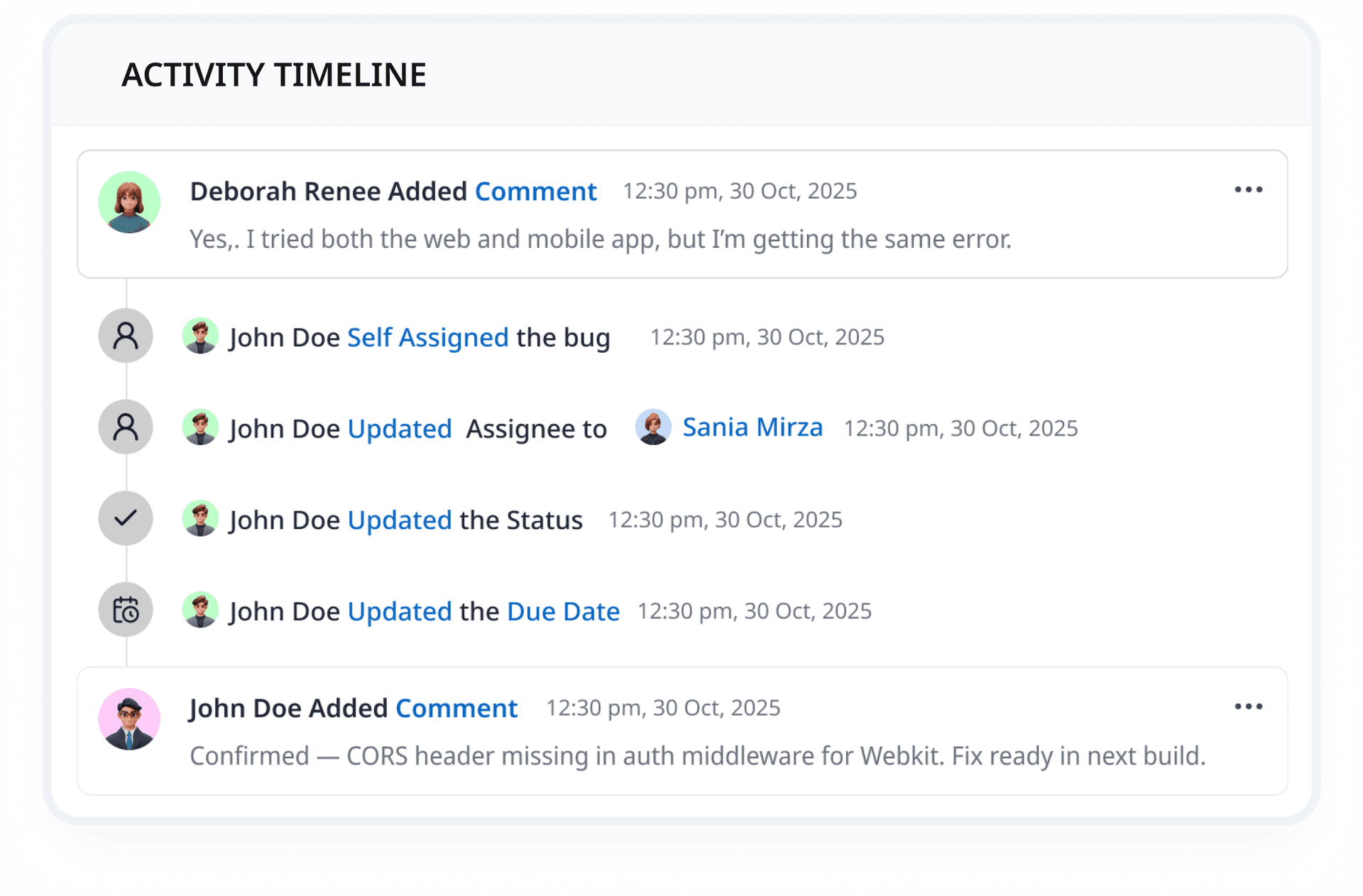
Once a bug is assigned, the full conversation stays inside the issue. Developers, QA engineers, and product teams can collaborate around the same screenshots, notes, files, status changes, and decisions instead of spreading bug collaboration across chats, calls, and documents.
Comments
Attachments
Add screenshots, logs, files, documents, and supporting evidence in one place.
Activity Timeline
Track comments, status changes, linked bugs, sub-bugs, and issue updates in the bug history.
Stay Updated on Bug Activity
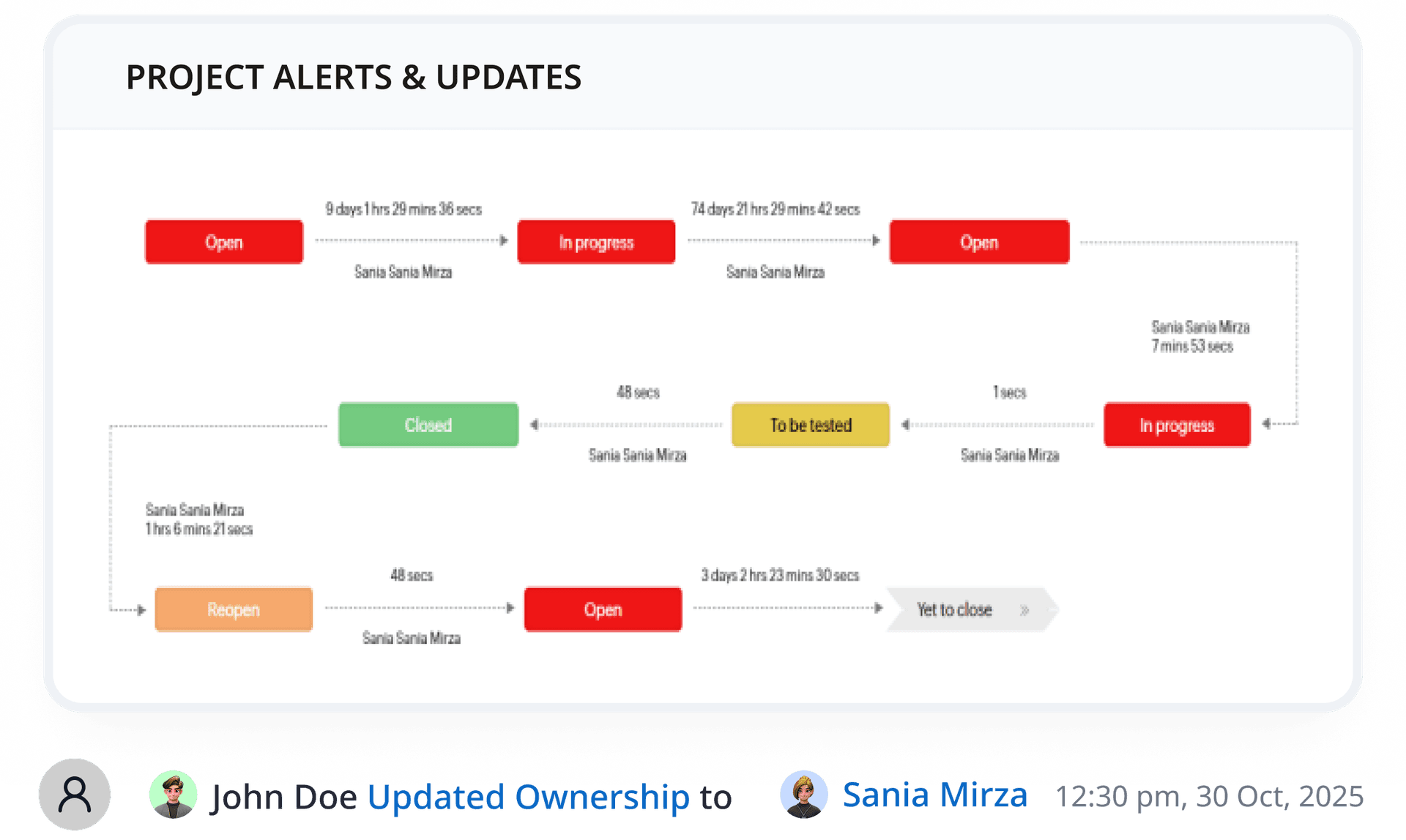
Bug tracking should not depend on manual follow-ups. Zunoy helps teams follow bugs with timely updates when issues are reported, assigned, updated, resolved, or closed, so the right people stay informed without constantly checking the dashboard.
Bug Report Updates
Status and Ownership Changes
Stay informed when a bug changes status, gets assigned, or moves closer to resolution.
Fewer Manual Check-ins
Keep teams aware of bug progress through updates instead of asking for status manually.
Bug Gets Closed
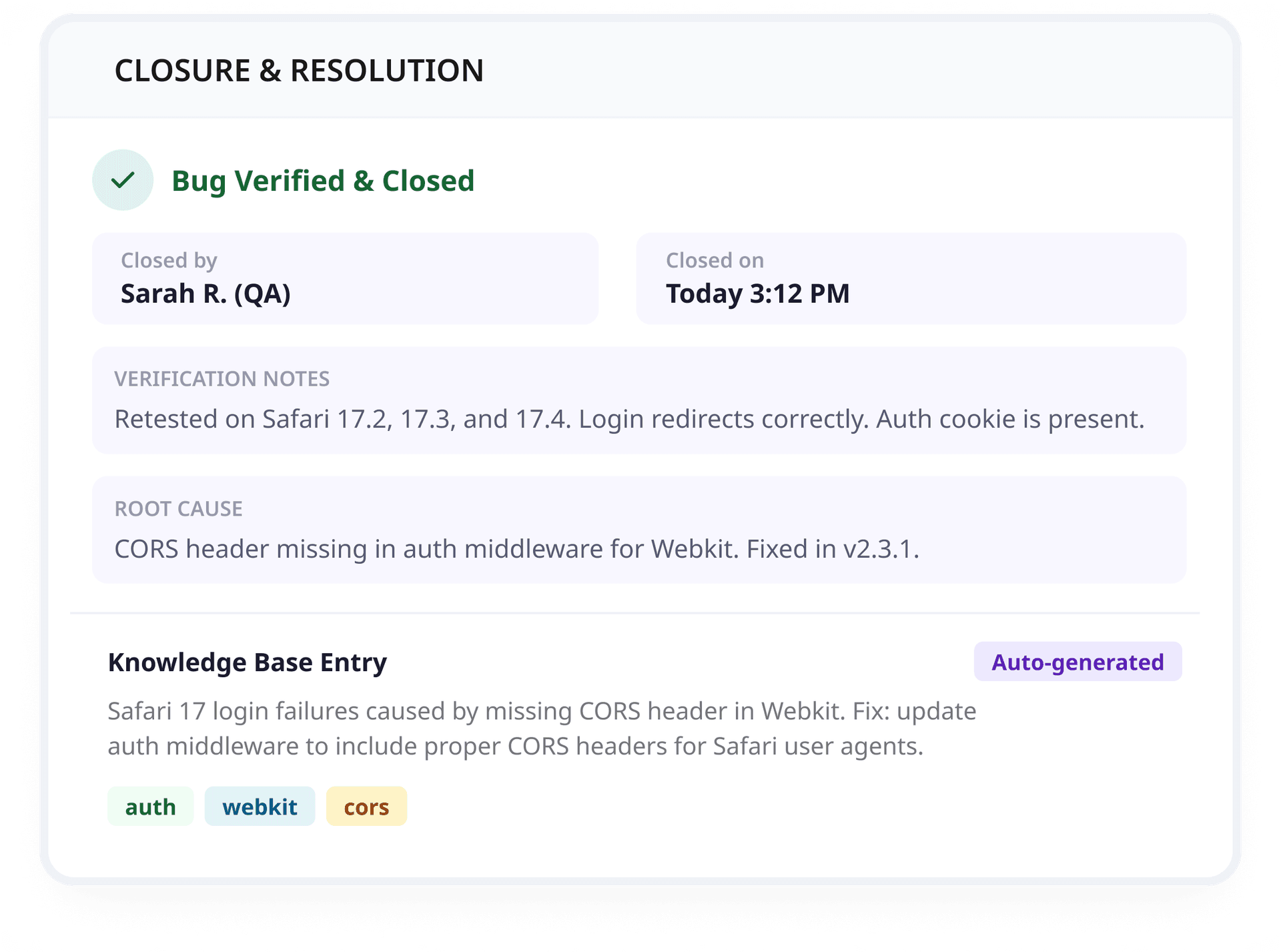
A bug is not truly done until the fix is verified. Zunoy helps QA retest the issue, reopen it when needed, or close it with final context, so every resolved bug has a clear record of what changed and why.
Fix Verification
Closure Notes
Keep fix details, screenshots, comments, and final decisions connected after the bug is closed.
Bug Tracking Knowledge Base
Turn resolved bugs into reusable records with root causes, fixes, related issues, and lessons learned.
Ready to Move Bugs Out of Spreadsheets?


Capture bugs from 8+ channels
Keep full context attached to every issue
Track the complete bug lifecycle
Give dev and QA teams one focused workflow
Bug Updates Where Your Team Works
Keep every bug moving with clear updates for the people who need to act, review, approve, or verify.


Lifecycle Updates
Notify teams when a bug is created, assigned, moved to a new status, resolved, reopened, or closed.
Action Needed Updates
Send alerts when someone is mentioned, assigned, asked to review, or needed for the next step.
Project Activity Updates
Keep teams aware of important bug movement across projects, including new issues, ownership changes, priority updates, and blockers.
Scheduled Bug Reports
Send periodic summaries for open bugs, resolved issues, workload, project health, and delayed fixes.
System Information
Get important system updates including configuration changes, integration alerts, and platform notifications.
Permission & Access Updates
The things Developers actually ask.
How does a bug tracker work?
A bug tracker works by helping teams report, triage, assign, fix, verify, and close software bugs in one organized workflow.
What is a bug tracking workflow?
A bug tracking workflow is the process teams use to manage software bugs from first report to final resolution with clear context, evidence, and ownership.
What happens during bug triage?
Teams review the bug, check severity, set priority, assign an owner, add tags or fields, and decide the next action.
How does Zunoy help teams report bugs?
Zunoy helps teams report bugs from the web app, mobile app, widget, Chrome extension, email, Slack, API, and webhooks with context like screenshots, severity, priority, device data, and steps to reproduce.
Can teams collaborate inside a bug?
Yes. Developers, QA engineers, and product teams can use comments, attachments, activity history, status updates, and ownership changes inside each bug.
How do teams stay updated on bug activity?
Zunoy supports bug tracker notifications for activity such as new reports, assignments, status updates, comments, resolutions, and closures.
Start Tracking Bugs With Full Context
Use Zunoy to capture visual, context-rich bug reports from anywhere, assign ownership clearly, and move every issue from report to verified fix.rly, and move every issue from report to verified fix.
Setup in seconds
Capture full bug context
Assign clear ownership
Timesheet included
Free tier available

Bug Tracker
Zunoy Bug Tracker helps dev and QA teams capture visual, context-rich bug reports.
Operational
Contact Us On
Mail Us
support@zunoy.comCopyright © 2026 - Mentcube Innovations Pvt Ltd.. All Rights Reserved.